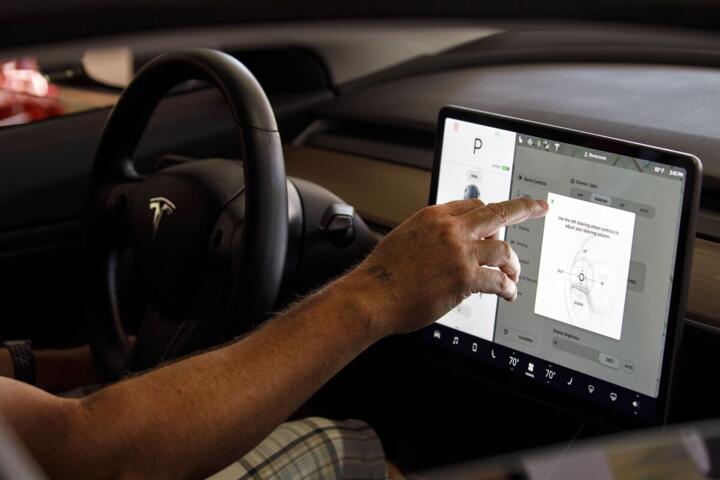
Modern cars and OTA updates
Over-the-air (OTA) updates refer to the wireless delivery of software patches, new features, or fixes directly to vehicles using cellular or Wi-Fi networks. Tesla began pioneering this approach in 2012, and now many brands including Ford, Volkswagen, and BMW follow suit. By mid-2023, over 80% of new EVs supported OTA downloads for infotainment and control modules, reflecting a rapid shift in automotive maintenance.
OTA updates update firmware in electronic control units (ECUs) that govern everything from engine management to advanced driver-assistance systems (ADAS). For example, a recent firmware upgrade improved regenerative braking curves on a Tesla Model 3, boosting energy recovery by up to 10%. You don’t even have to visit a service center anymore.
Letting cars self-update saves time and extends their usability. The software evolves continuously, sometimes weekly or monthly, with automakers pushing patches remotely. Even critical fixes that once required recalls can now deploy faster — improving safety and customer experience.
Challenges with OTA updates
Many drivers still confuse OTA updates with simple infotainment upgrades or data syncs, but under the hood, the process requires robust security and precision. If an update fails midway, it might immobilize the vehicle’s functions or brick the ECU, creating real hazards.
Automakers wrestle with complex ecosystems of vehicle networks, cloud servers, and mobile operators. In 2022, a major recall was linked to an OTA roll-out that corrupted transmission control software on several hundred thousand vehicles. This caused delays and warranty costs that no one wanted.
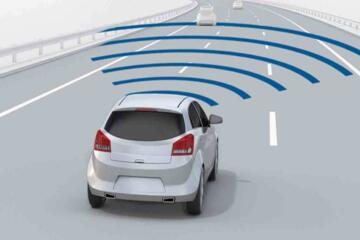
Latency and network coverage gaps can halt or slow updates, especially in rural zones. Also, inconsistent user acceptance or ignoring update prompts leads to software fragmentation in fleets, complicating diagnostics and repair processes later on.
Effective OTA approaches
Chunked downloads and delta updates
Instead of sending entire software packages, many systems deliver only changed code segments (delta updates). This shrinks file sizes to under 100MB from potentially gigabytes—for instance, NVIDIA’s Drive platform adopts this method. Users face less data consumption and shorter install times.
Failsafe dual memory partitions
ECUs usually contain two memory areas so after an update, the system boots from the new partition but can revert to the previous one if anything breaks. This backup strategy limits vehicle downtime and increases driver confidence.
Strong encryption and authentication
Security certificates and end-to-end encryption protect update files during transmission. Automakers use Public Key Infrastructure (PKI) to verify authenticity before deploying code into sensitive components. The last thing anyone wants is a hacker overriding autonomous controls.
Gradual rollouts and telemetry monitoring
Manufacturers release updates incrementally to a small subset of vehicles before wider deployment. Telemetry collects live data on update success and unexpected behaviors, enabling rapid rollback or patch improvements. Ford uses this on its Mach-E to catch issues early.
User control and notification
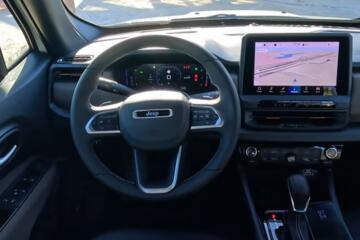
Choice over when updates apply avoids inconveniencing drivers—some prefer overnight installations at home. Clear alerts appear on infotainment screens explaining update duration and content. Android Automotive OS supports flexible user prompts, which is a nice touch.
Modular software architecture
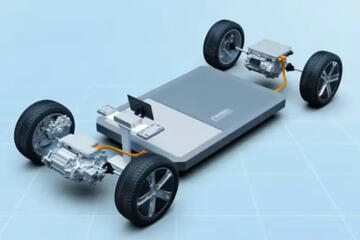
Separating systems into independent modules means updates target specific functions without disturbing unrelated areas. Volkswagen’s MEB platform exemplifies this, where infotainment, powertrain, and telematics update individually. This reduces risk and streamlines future upgrades.
Cloud-connected diagnostics
Post-update, cloud services analyze system health and flag issues remotely. They support the debugging process by accessing logs from millions of vehicles, accelerating fixes. Tesla’s over one billion miles collected in telemetry helps identify patterns fast.
Real-world OTA examples
Rivian pushed a 2023 update that recalibrated battery management on its R1T pickup, adding 5% more range by optimizing charging curves. The update rolled out to 10,000 trucks over two weeks using AT&T LTE networks, with less than 0.2% failure reported — impressive for such a complex system.
BMW’s iX electric SUV rolled out software version 20-11 that boosted driver assist performance by refining sensor fusion algorithms. Drivers reported smoother lane changes and quicker emergency braking activation. Feedback led BMW to adopt more frequent OTA optimizations.
Typical OTA checklist
| Step | Action | Purpose | Tools |
|---|---|---|---|
| 1 | Check vehicle status | Verify battery and connectivity | Vehicle diagnostics app |
| 2 | Download update package | Fetch changes from server | OTA server, Cellular network |
| 3 | Verify integrity and auth | Prevent malicious code | PKI, Encryption tools |
| 4 | Install update | Apply changes on ECUs | Backup partitions, Flash tools |
| 5 | Reboot and verify | Confirm system booted cleanly | Bootloader, System logs |
| 6 | Send telemetry | Track update success, issues | Cloud analytics, Diagnostics |
Common update errors
Many fail to read or acknowledge update notifications until late, causing outdated software versions to pile up. That creates a patchwork of bugs across fleets making problem solving complex.
Interruptions from poor cellular connections mid-install cause corrupted flashes, especially if the failsafe partition is buggy or missing. Some updates poorly handle system rollback, leaving drivers stranded until recovery — which usually means a dealer visit.
Applying updates while driving or ignoring system warnings messes with vehicle stability controls or ADAS calibration. Onboard storage limitations also trip vehicles up when free memory is too low to hold incremental patch files.
FAQ
How safe are OTA updates?
They use multiple encryption layers and validation steps to prevent hacking. Safety depends on automaker's cybersecurity rigor, and most major brands meet high standards.
Do updates consume mobile data?
Yes, but delta updates reduce data by 70% or more. Some automakers allow Wi-Fi only updates to save cellular data.
Can OTA fix hardware problems?
No, OTA is only software. If sensors or wiring fail, physical repair is necessary.
How long do updates take?
Typical installs vary between 15 to 45 minutes, sometimes longer for large system upgrades.
What if an update breaks the car?
Failback systems allow reverting to previous versions automatically or via dealer tools, minimizing risk but occasionally requiring service.
Author's Insight
Having worked on OTA design at an automaker, I saw firsthand how nuanced this technology is beyond hype. It demands coordination between software, hardware, and cloud teams. Updates delivered overnight, quietly, really improve the driving experience once the rough edges get smoothed out. Drivers should embrace these while staying alert for security alerts and update notices.
Summary
OTA updates modernize car maintenance by wirelessly sending software improvements directly to vehicles. Real benefits emerge only with solid security, efficient data handling, and user-friendly design. Drivers gain new features and fixes without dealer trips, but must stay proactive about updates. Automakers need to keep refining deployment tools and processes to reduce failures and boost trust. The next decade will see further expansion of this powerful technology in connected cars.