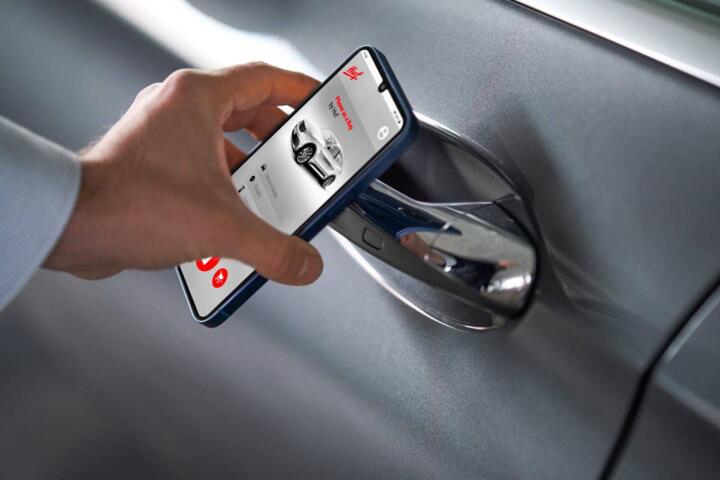
Phone keys: what changes
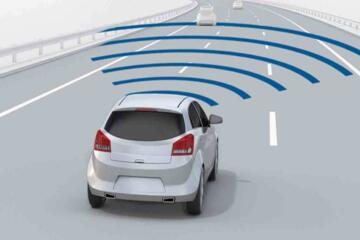
Digital keys replace the metal key fob for access and engine start, but they do not replace the vehicle’s underlying immobilizer system. Most systems use Bluetooth Low Energy for proximity, then a second step for authentication; some add UWB for more accurate “near the door” behavior. A common baseline is that Bluetooth range is often around 10–30 meters, while NFC works only at close contact—usually a few centimeters.
Vehicle type changes the tradeoffs. A compact hatchback with a single smart-door handle set behaves differently than a three-row SUV where you may approach from multiple sides. An EV like a Tesla Model 3 or a Nissan Leaf can also shift the failure mode: if the 12V battery is weak, the car may not wake the gateway that talks to the phone.
Industry data backs up why this matters. In the U.S., the National Highway Traffic Safety Administration reports that about 7% of drivers experienced a vehicle breakdown in the previous year, and electrical issues are a recurring category. Separately, the GSM Association has published that mobile device battery life is a top driver of “mobile service reliability” concerns; digital keys inherit that dependency. If your phone battery drops to 5%, the key function becomes a battery management problem, not a car problem.
Skip the “it’s just an app” assumption. Apps can be updated, permissions can be revoked, and the phone’s OS can change background behavior. The car still needs a valid credential, and the credential still needs a working vehicle control unit.
Where buyers get burned
People often assume a phone key is interchangeable with a fob in every situation. It is not. A fob usually works even when the phone is dead, in airplane mode, or left in another room. Many digital-key setups also depend on the phone being unlocked, the app being installed, and the car’s pairing state staying intact after software updates.
Skip the “one-time setup” belief. Pairing is often a one-time step, but re-pairing can be needed after a phone replacement or after a factory reset. That matters when you park at a workplace where you cannot easily test access for a week, or when you share the car with a partner who uses a different phone model.
Consequences show up as time and money. If you cannot unlock the car, you may need roadside assistance or a dealer visit to reprogram the key credentials. A typical dealer programming appointment can run from $100 to $300 depending on region and labor rates; towing can add $75 to $250. Even when the car is drivable, repeated lock/unlock failures can lead to battery drain from repeated attempts, especially on vehicles with frequent wake cycles.
Real-world situations are predictable. You arrive at a trailhead, your phone is at 12% because you used navigation for 2 hours, and the app refuses to authenticate. Or you’re in a parking garage with thick concrete, and the phone’s Bluetooth signal is weaker than expected. In those moments, the “digital” part becomes a practical access problem.
What to do, step by step
Confirm the key tech
Check the vehicle’s digital-key method in the owner’s manual or the in-car menu. Bluetooth-based keys often require the phone to be within a short range and the app to be active; NFC keys work only when you tap the phone against a designated spot near the door handle or center console. UWB-based systems can reduce “false unlocks” by measuring distance, but they still depend on the phone supporting UWB and the car recognizing it.
Look for a backup method in the same documentation. Many cars include a hidden mechanical key blade inside the phone key card or a fob, and some have an emergency NFC reader location. If you cannot find the emergency location in the manual, ask the dealer before you buy.
Skip the “I’ll figure it out later” plan. Later often means a dead phone and a line at the service desk.
Keep a phone battery buffer
Plan for the phone to be the weak link. A digital key can keep Bluetooth active and the app running, which can reduce battery life during long trips. If you drive 300 miles and use navigation for 4 hours, your phone battery may drop enough to trigger low-power mode that restricts background Bluetooth.
Use a charging habit that matches your route. A 10W–15W USB charger can be enough for short errands, but long road trips often need a higher-wattage port or a dedicated cable. If your car supports wireless charging, test it with your phone model; some phones slow-charge when the case is thick.
Skip the “battery saver will still work” assumption. Battery saver modes can stop the app from authenticating, even while Bluetooth remains on.
Test access in your garage
Do a controlled test within your own parking environment. Concrete walls, metal shelving, and low ceilings can reduce Bluetooth reliability. Try unlocking from 3–5 different positions around the driver door and note whether the car unlocks at the first approach or only after you get very close.
On some systems, you may need to keep the phone unlocked and the app in the foreground. That behavior can vary by OS version; I’ve seen iOS and Android permission prompts change after updates, and the key stops working until you re-approve location or Bluetooth access. On my desk, a Pixel running Android 14 required a re-check of “Nearby devices” permissions after a security patch.
Skip the “it worked once” conclusion. Signal conditions change with weather and phone case thickness.
Know the pairing limits
Digital keys are often limited by the number of phones that can be stored. Some vehicles support multiple users, but the limit can be 4–8 profiles, and adding a new phone may require removing an old one. That matters for households where kids swap phones or for fleet use where drivers rotate devices.
Check whether the car supports shared keys through a server-based process or only through in-car pairing. Server-based sharing can fail when the subscription expires or when connectivity is blocked. In contrast, local pairing can still work offline, but it may require a dealer visit if you lose the admin phone.
Skip the “delete the app, keep the key” idea. Removing the app can break the credential handshake even if the car still lists the user.
Plan for service and repairs
Digital keys tie into the vehicle’s gateway and immobilizer modules, so certain repairs can reset key credentials. If the car’s 12V battery is replaced, some systems require re-authentication. If the infotainment head unit is replaced, the dealer may need to reprogram the key profiles.
Ask the service department what happens during common jobs. For example, replacing a 12V battery on many modern cars is routine, but the digital-key pairing state may not survive without a re-check. If you’re buying an EV, confirm whether the car uses a 12V battery to power the access control modules even when the traction battery is healthy.
Skip the “warranty covers everything” assumption. Warranties cover defects, not lost access credentials caused by user-side changes like phone replacement or app removal.
Child-seat and cabin practicality
Phone keys change how you manage the cabin while carrying kids. With a fob, you can lock/unlock with one hand while the other holds a stroller. With a phone key, you may need to keep the phone accessible and avoid putting it deep in a bag, because NFC tapping requires a specific contact point.
Check child-seat compatibility with the access method. If your car unlocks only when you approach the driver door, you may still need to reach across to open the rear door for a child seat. Some vehicles unlock all doors when you pull the handle; others unlock only the driver door until you press a second control.
Skip the “rear door will open the same way” expectation. Test it with the phone in the same pocket you’d use during pickup and drop-off.
Road-trip behavior and towing
Road trips expose edge cases. If you park for 6–8 hours at a hotel, the phone may go into deep sleep, and the app may stop scanning. When you return, the first unlock attempt may fail until the phone wakes fully and re-authenticates.
Towing adds another layer. If the car is being towed after a breakdown, you may not have access to the cabin controls, and a dead phone can complicate getting the car into a safe state. Confirm whether the vehicle has a mechanical key blade path for emergency entry and whether the tow mode can be engaged without a phone credential.
Skip the “roadside will always handle it” mindset. Roadside can tow, but they may not be able to reprogram digital keys on-site.
Mini case examples
Fleet phones, access failures
A small delivery company with 12 vehicles switched from fobs to phone keys to reduce lost-fob incidents. After a phone upgrade cycle, 3 drivers reported that unlocking failed intermittently, mostly in underground garages. The company required drivers to keep the key app installed and to re-check Bluetooth and “Nearby devices” permissions after OS updates. They also standardized on a 20W USB-C charger in each vehicle.
Result: lock/unlock failures dropped from about 3–4 events per week to 0–1 per week over 6 weeks. They still kept a mechanical backup key for each vehicle, and they budgeted $150 per incident for dealer re-pairing when a phone was factory reset. The cost avoided was mostly time lost at loading docks, not just the programming fee.
EV owner, dead phone scenario
An EV owner used a phone key for daily errands and left the backup fob at home. One evening, the phone battery fell to 2% after 2.5 hours of navigation and streaming. Unlock failed on the first attempt, and the owner had to tap the phone at the emergency NFC location to regain access.
Result: the owner avoided a tow, but the incident showed a gap in routine. Afterward, they kept a spare charged phone in the glovebox and verified the emergency NFC spot in daylight. The repair cost was $0, but the time cost was about 15–20 minutes, which is the part most people underestimate.
Checklist: replace the fob
| Decision point | What to check | Why it matters | Pass/fail test |
|---|---|---|---|
| Emergency entry | Mechanical blade or NFC reader location | Prevents lockout when phone is dead | Find the spot without the car running |
| Key tech | Bluetooth vs NFC vs UWB | Determines range and failure mode | Unlock from 3–5 distances |
| Phone permissions | Bluetooth + location/Nearby devices | OS updates can break auth | Re-check after an update |
| Battery habit | Charging plan for 2–6 hour trips | Prevents low-power lockouts | Test at 10% battery |
| Service impact | What resets pairing during repairs | Avoids surprise dealer visits | Ask before 12V replacement |
Common mistakes and fixes
Leaving the backup fob behind
Why it happens: people treat the phone key as the “real” key and stash the fob out of sight. Impact: a dead phone turns a 10-second unlock into a dealer or roadside event. How to avoid it: keep the physical backup key in a separate pocket or in the car’s emergency kit.
Skip the “I’ll remember next time” promise. Put the backup where you can reach it one-handed.
Ignoring OS permission prompts
Why it happens: OS updates change background permissions, and the key app may not show a clear error. Impact: unlock works at home, fails in public, and you start blaming signal strength. How to avoid it: after any phone update, open the key app and verify Bluetooth and Nearby devices permissions.
Skip the “it’s probably fine” check. Confirm it in the first 24 hours after updating.
Assuming range matches marketing
Why it happens: ads often describe “long range” without stating the real-world conditions. Impact: you approach from the wrong side, the car stays locked, and you waste time at the door. How to avoid it: test from multiple positions in your driveway and note the distance where it reliably unlocks.
Skip the “one test is enough” routine. Concrete and weather change the result.
Not planning for shared phones
Why it happens: households add a second phone without checking profile limits. Impact: adding a new phone may remove an old one, and the removed user can’t authenticate. How to avoid it: keep a record of which phone is the “admin” or primary pairing device and confirm the maximum number of stored keys.
Skip the “we’ll sort it out later” approach. Later often means a dealer appointment.
Overlooking 12V battery dependence
Why it happens: EV owners focus on the traction battery and forget the 12V system runs access control modules. Impact: weak 12V can cause intermittent wake-up and key authentication failures. How to avoid it: monitor 12V health during routine service and replace it on schedule; ask the shop what voltage threshold they test.
Skip the “the car starts, so 12V is fine” logic. Access modules can misbehave before full start failures.
FAQ
Does a phone key replace the immobilizer?
A digital key still relies on the vehicle’s immobilizer and authentication hardware. The phone acts as a credential carrier that proves you are authorized, then the car’s control unit decides whether to unlock and start. If the car’s immobilizer system is disabled or the vehicle control unit is offline due to a low-voltage issue, the phone key cannot override that. If you want a practical check, ask the dealer how the system behaves when the 12V battery is low and whether the emergency mechanical entry works without power.
What happens if my phone is dead?
Most systems include a fallback path: a mechanical key blade, an NFC tap point, or a separate backup fob. The exact method depends on the vehicle and the key technology. If your phone is dead, Bluetooth authentication cannot work, and app-based unlock will fail. The best test is to locate the emergency NFC reader or mechanical entry point while you still have power. Then practice once—slowly—so you know where to put the phone or key under stress.
Can I share a digital key with family?
Sharing is usually possible, but it depends on the vehicle’s key management design and the number of supported profiles. Some systems require an admin phone to add users, while others use an account-based invitation flow. If you replace a phone, you may need to re-add the key profile, and some systems remove older devices when limits are reached. Before purchase, ask how many phones can be stored and whether re-pairing can be done without a dealer visit.
Will a phone key work in airplane mode?
Airplane mode typically disables Bluetooth and sometimes location services, so authentication often fails. Some phones keep Bluetooth active in airplane mode, but the key app still needs the right permissions and background behavior. The practical answer is to test your specific phone model with your specific OS version. Turn on airplane mode, keep Bluetooth enabled if your phone allows it, and try unlocking from the driver door. If it fails, plan to carry the backup fob or keep a charged phone.
Does digital key affect insurance or warranty?
Insurance impact is usually indirect. Your policy may not change because of the key type, but lockout events can lead to claims if damage occurs during forced entry. Warranty coverage depends on whether the issue is a defect versus user-side factors like lost credentials after a phone reset. Ask your insurer whether they treat key-related incidents differently and ask the dealer what is covered if the key system needs reprogramming after a battery replacement.
Author's Insight
Digital keys replace the fob’s role in access and start, but they shift the failure point to the phone’s battery, permissions, and OS background rules. That shift matters more than many buyers expect because the car’s access control still depends on working vehicle electronics, often including the 12V system. For EVs, a weak 12V battery can create key authentication problems even when the traction battery is fine. The most reliable approach is treating the phone key as the primary method and keeping the mechanical or NFC fallback ready.
Skip the “set it and forget it” mindset. Re-check permissions after OS updates, and verify emergency entry before you rely on it during a busy week.
Key takeaways
Digital keys replace the physical key fob for unlocking and starting, but they do not remove the need for backup access methods. Phone battery level, OS permissions, and the vehicle’s key technology (Bluetooth vs NFC vs UWB) determine how often you’ll notice problems. If you drive an EV or a vehicle with frequent wake cycles, pay attention to 12V battery health because it can affect access behavior.
Next steps: read the owner’s manual section on digital keys, locate the emergency entry method, and test unlock from your usual parking spot. Keep a charged phone or a backup fob accessible, not buried in a bag. If you experience repeated lock/unlock failures, have the dealer check key module logs and 12V voltage; if the issue involves forced entry or injury risk, seek professional help immediately.